
01
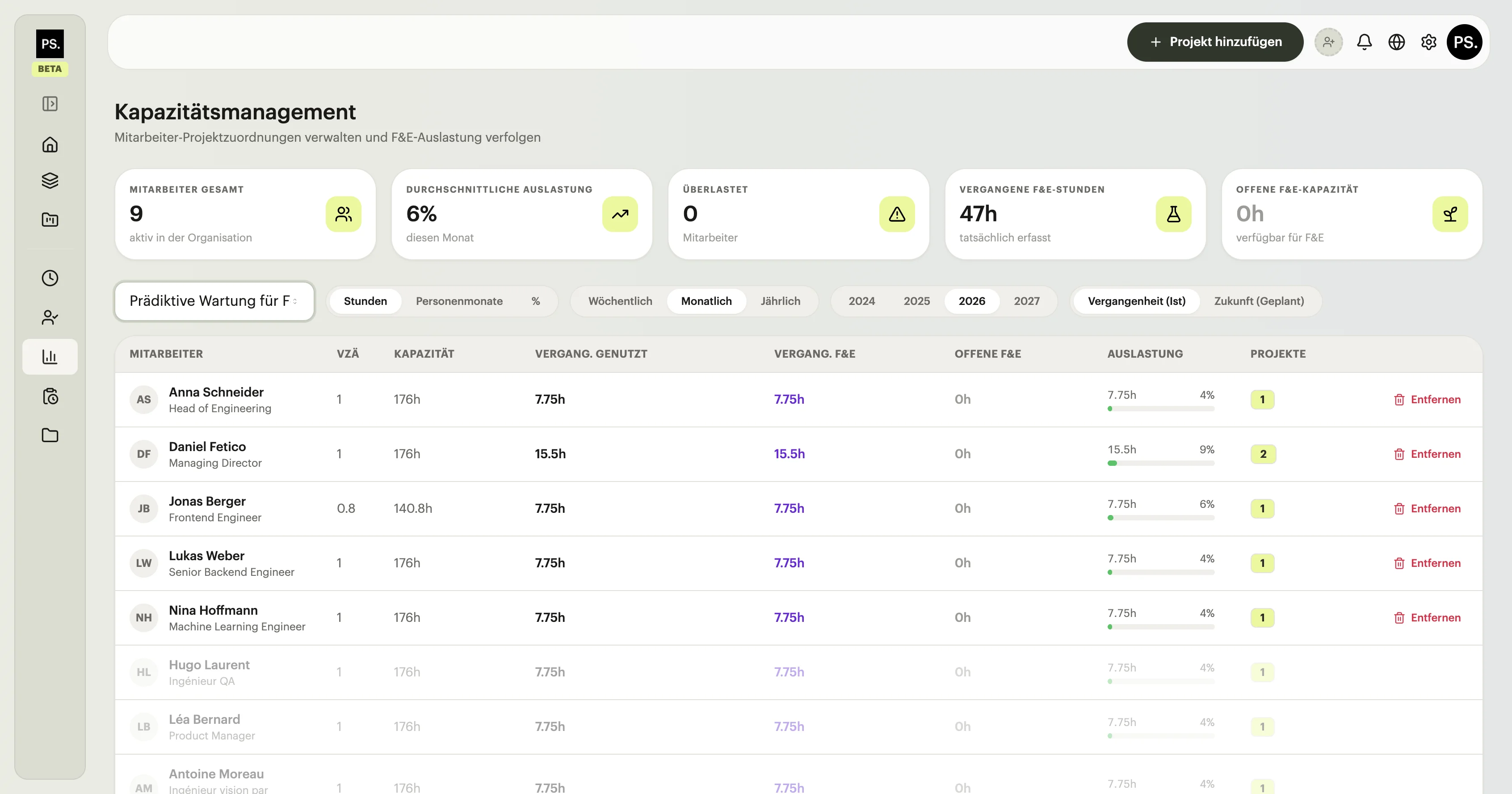
Real-time availability overview
See exactly which team members are fully allocated, who has capacity, and where bottlenecks are forming across funded and non-funded projects.
15% off until October 31, 2026 — limited time
Real-time
Availability data
Multi-project
Workload view
Forward
Planning horizon
See exactly which team members are fully allocated, who has capacity, and where bottlenecks are forming across funded and non-funded projects.
Each funded project shows the headcount and hours it needs versus what is actually allocated. Gaps are visible before they become a delivery problem.
View capacity across future weeks and months so you can plan onboarding, contractor assignments, or workload redistribution with confidence.
Allocation data connects directly to the Finance Room and Timesheets so personnel costs are always traceable back to the right funding line.
Auditors want to see that the team hours claimed were actually available to work on the project. The Capacity Manager makes that case before the report is even due — giving you evidence that your allocation was real, not estimated after the fact.
View your team capacity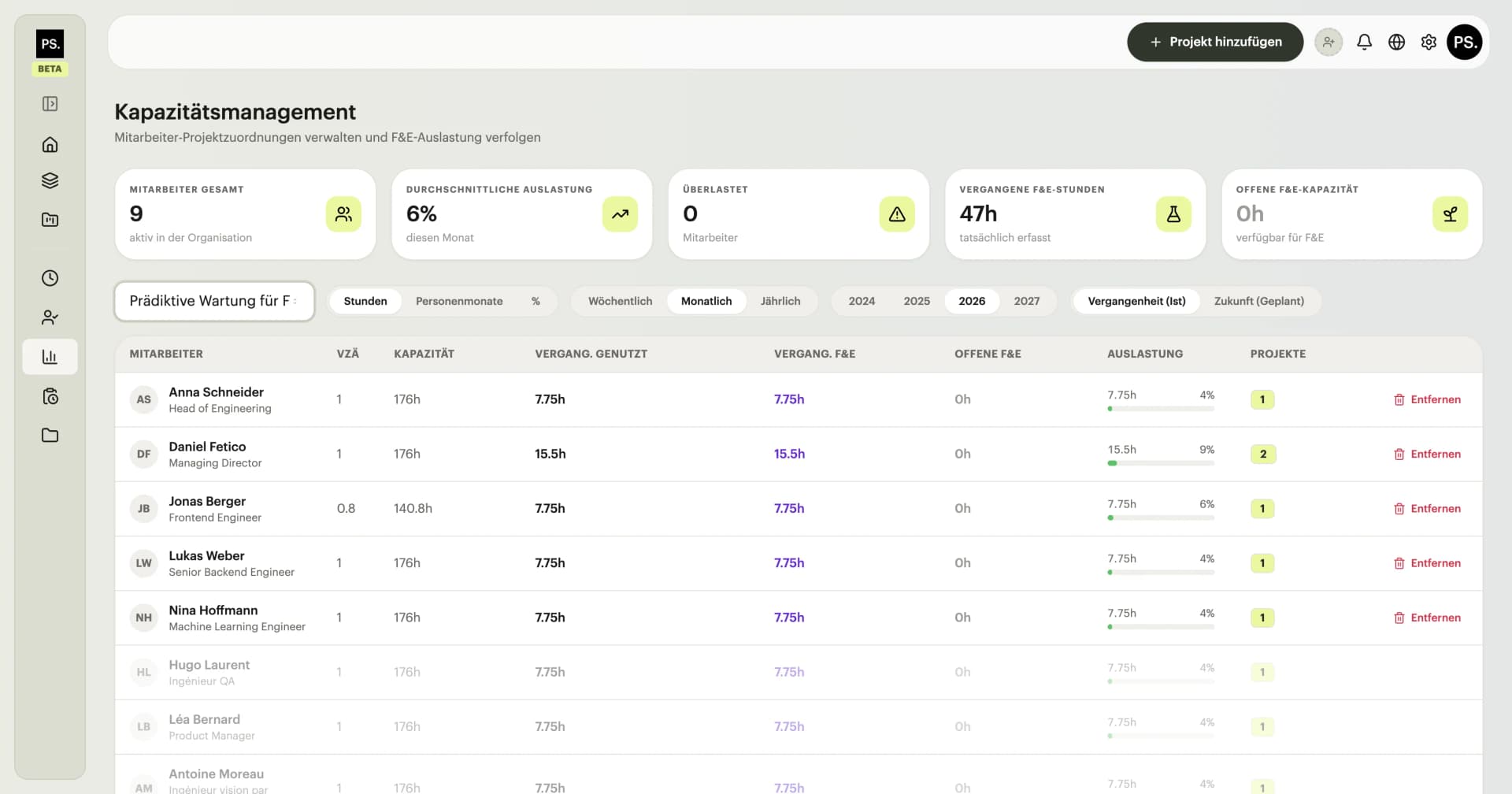
Part of
SubventAI Platform
Explore the full platform
Join companies across Europe already using SubventAI to secure R&D funding faster and with less risk.